Plan your trip in the AI you already use
Ask Claude or ChatGPT to plan your trip. Daysaway saves it as a real itinerary — days, places, nights and costs on a map — that you can open, share and keep editing anywhere.
Free. You need a Daysaway account: you can create one while you connect.
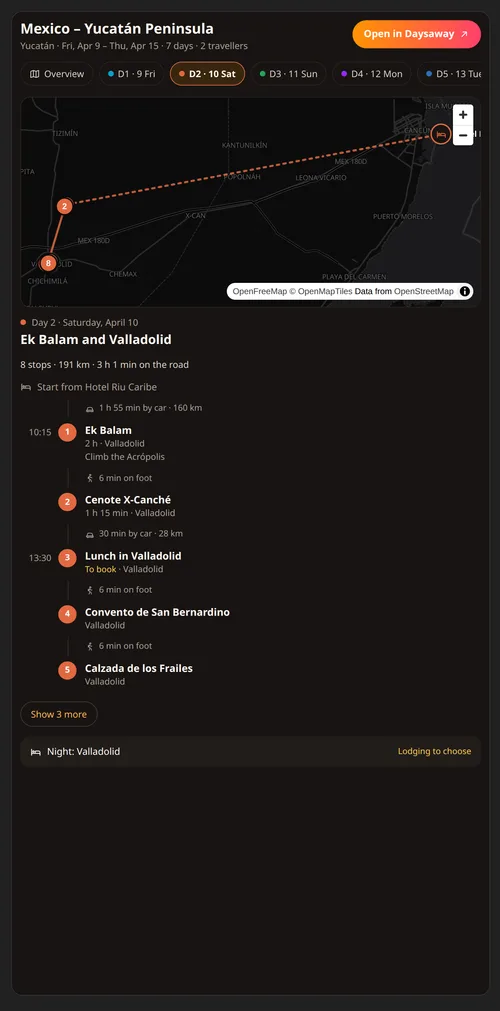
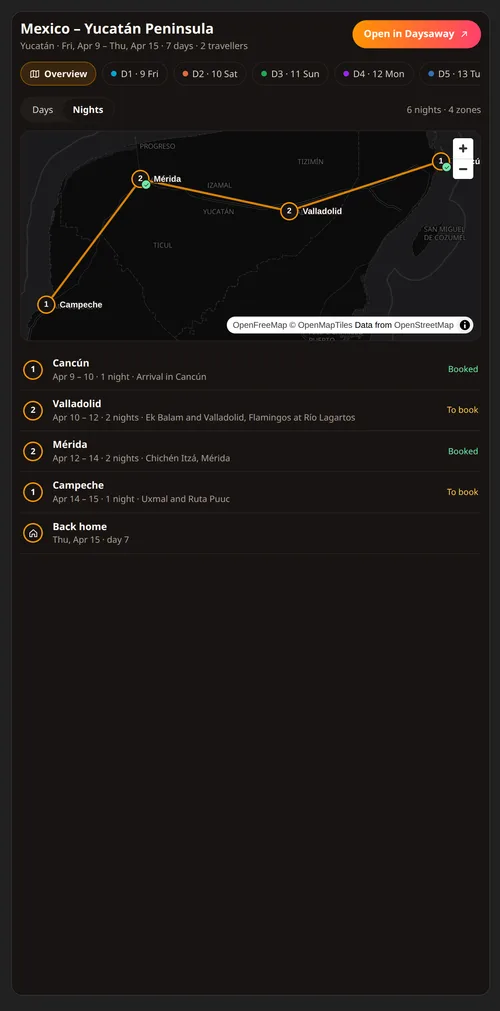
Just ask
Talk to it like a friend who knows how to plan. A few things people ask:
- “Plan 15 days in the Yucatán by car, flying in and out of Cancún.”
- “Add a cenote near Valladolid on day 3 and move lunch after it.”
- “Which nights still have no place to stay?”
- “How long is the drive on day 7? Is it too much?”
- “Add a $45 dinner on day 5, split between the two of us.”
- “Undo the changes you just made to my trip.”
What Daysaway can do from the chat
Trips and guides
Create a trip with its dates and who is travelling, or a travel guide. Change dates, title and destinations.
Days and places
Find real places on our map, add them to a day or a list of ideas, reorder them, add notes and times, and give each day a title.
Nights and bookings
Say where you sleep each night and keep track of what is booked and what is still to book.
Routes
Travel times and distances between the stops of a day, so a plan fits the hours you have.
Budget
Add expenses and estimates in any currency, split them between travellers, set a budget for the trip.
History
Every change the AI makes is a restore point. Go back to any earlier version from the trip's History.
It can also read the trips and guides other travellers published on Daysaway, for ideas. It never changes them.
Connect in two minutes
You do it once. After that, just mention your trip in any chat.
In Claude
- Open the connectors section of Claude.
- Search for “Daysaway” and add it.
- Sign in to Daysaway and allow what it asks.
- Start a chat: “Plan a long weekend in Lisbon with Daysaway.”
In ChatGPT
- Open the apps section of ChatGPT.
- Search for “Daysaway” and add it.
- Sign in to Daysaway and allow what it asks.
- In a chat, pick Daysaway from the + menu or just name it.
Your trips, your control
Only your trips, only what you allow
Claude or ChatGPT reach the trips of your Daysaway account with the permissions you grant when you connect, nothing else.
Every change can be undone
Before each change a restore point is saved. Open the trip's History and go back with one click.
Disconnect at any time
From Settings → Connected apps on Daysaway, or from Claude or ChatGPT. Access stops at once.
How your data is handled when you connect an app: Privacy Policy, section 5
The rules of use: Terms of Service, section 10
Questions
Does it cost anything?
Daysaway is free. In the chat you use the Claude or ChatGPT plan you already have.
Do I need a Daysaway account?
Yes: your trips live in Daysaway, so you can open them on the web and in the app. You can create one while you connect. During the beta places are limited: when they are full, you can join the waiting list.
What if the AI picks the wrong place?
Tell it in the chat, or change it in the Daysaway editor. If a place is not on our map yet, the AI can add it as a note or report it to us.
Can I plan with friends?
Yes. Share the trip from Daysaway: what the AI changes, your friends see right away.
Need help?
Write to support@daysaway.ai